The problem
At 1 am, staff still have to add up calls, messages and changes before starting the bake.
ArtisFlow / Bakeries
Bring B2B bread and pastry orders together, prepare production quantities and track your daily deliveries.
Your customers: hotels, restaurants and shops
Request a demo↗14-day trial · Technical administration included
See the workflow screens ↓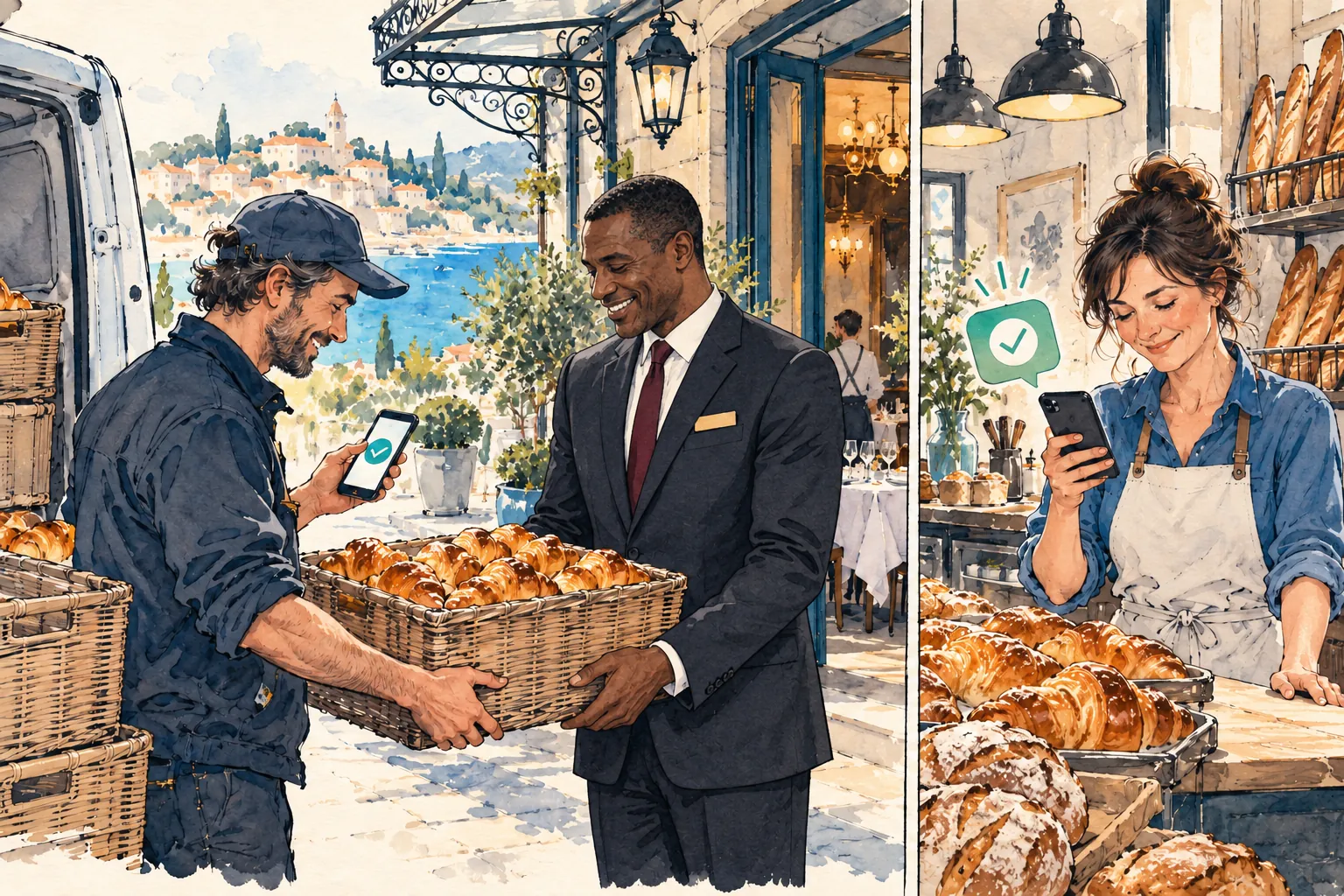
For your bakery
You regularly supply hotels, restaurants or shops, with overnight preparation and daily delivery rounds.
Illustrative schedule to adapt: orders by 6 pm the day before → preparation at 1 am → packing by customer → a 6 am round. Customers confirm each order; habits do not generate automatic orders.
The problem
At 1 am, staff still have to add up calls, messages and changes before starting the bake.
What changes with ArtisFlow
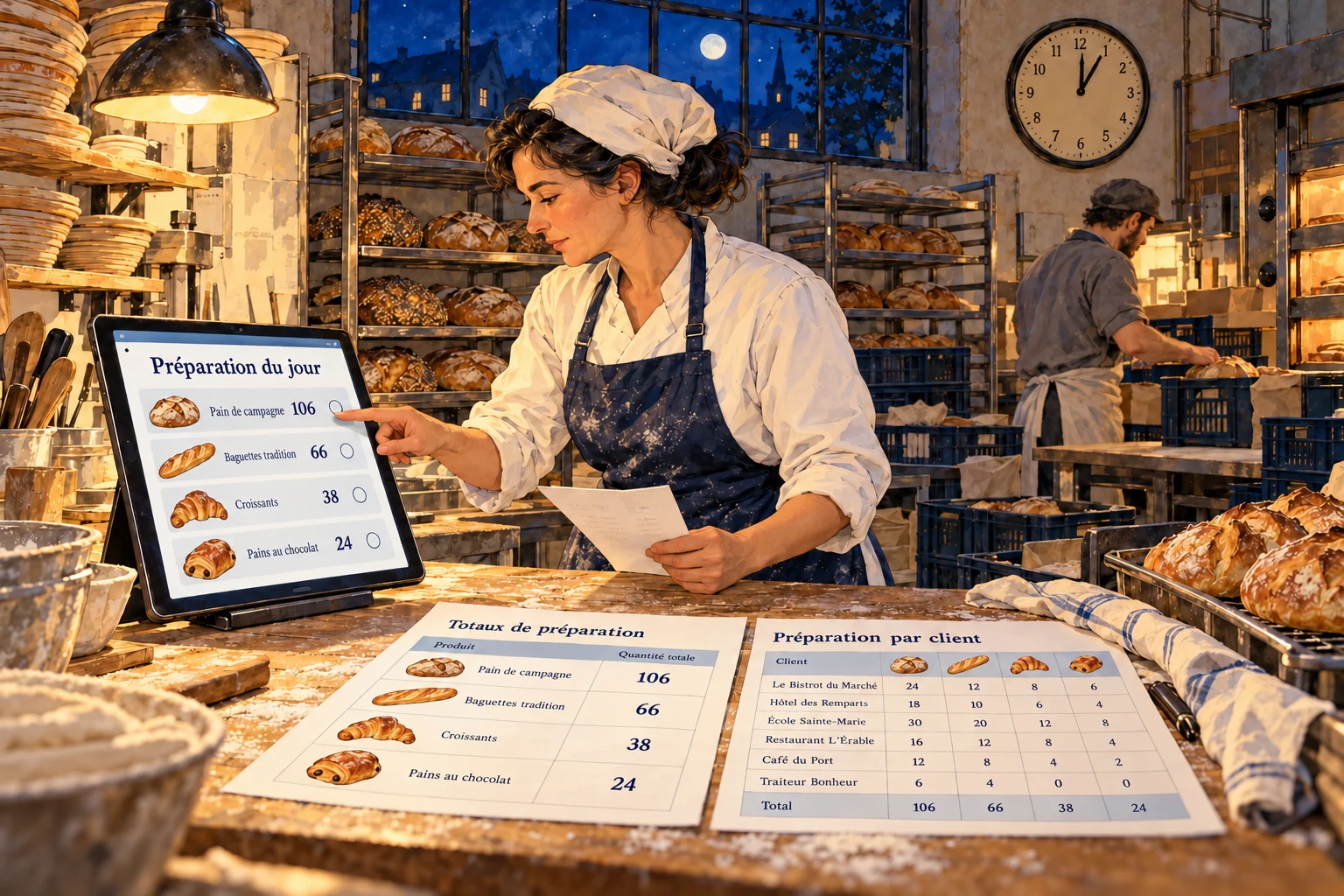
Customers confirm before the cutoff. The baker finds product totals; packing then allocates the correct quantities to each customer.
Your working day
Customers place tomorrow’s orders before your deadline.
The baker sees totals by product and round.
The team packs by customer and prepares delivery notes.
The driver follows the round and confirms handovers.
Illustrated scenario
Customer requirements are consolidated by product and round. The baker reviews the summary on the tablet and the customer allocation sheets to prepare and pack.
Real ArtisFlow demo screens · Fictional data
Demo screens show the French application interface. Open a screenshot to inspect the detail.
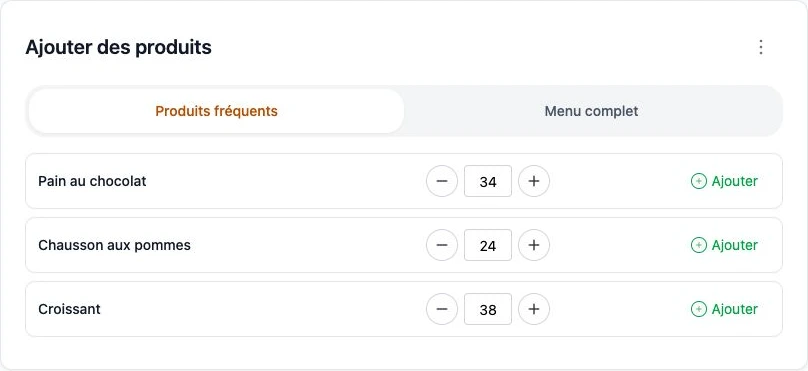
Three regular products, quantities and add buttons keep the customer focused on the daily order.
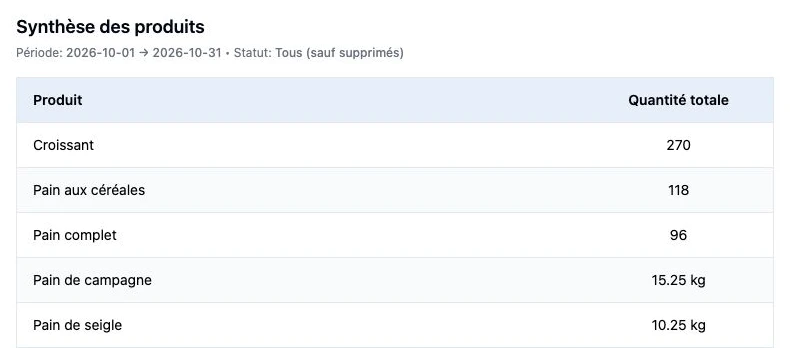
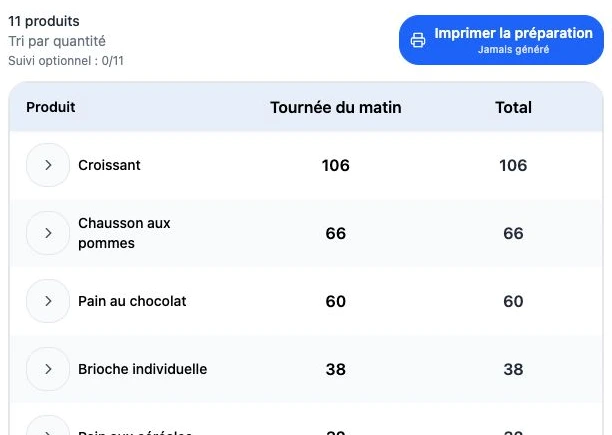
Quantities are grouped by product to organise the baker’s work.
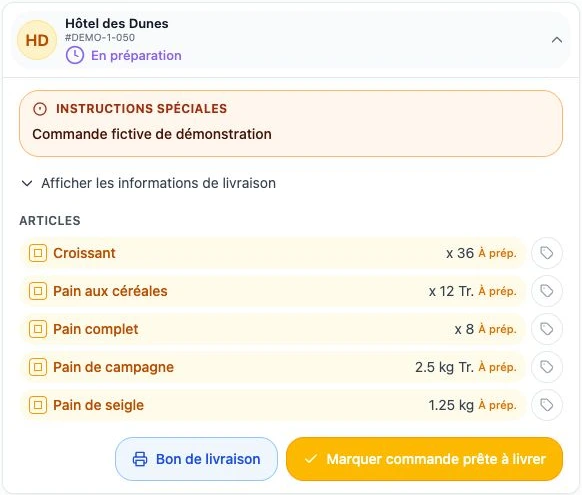
Packing keeps quantities, weight and slicing options visible.
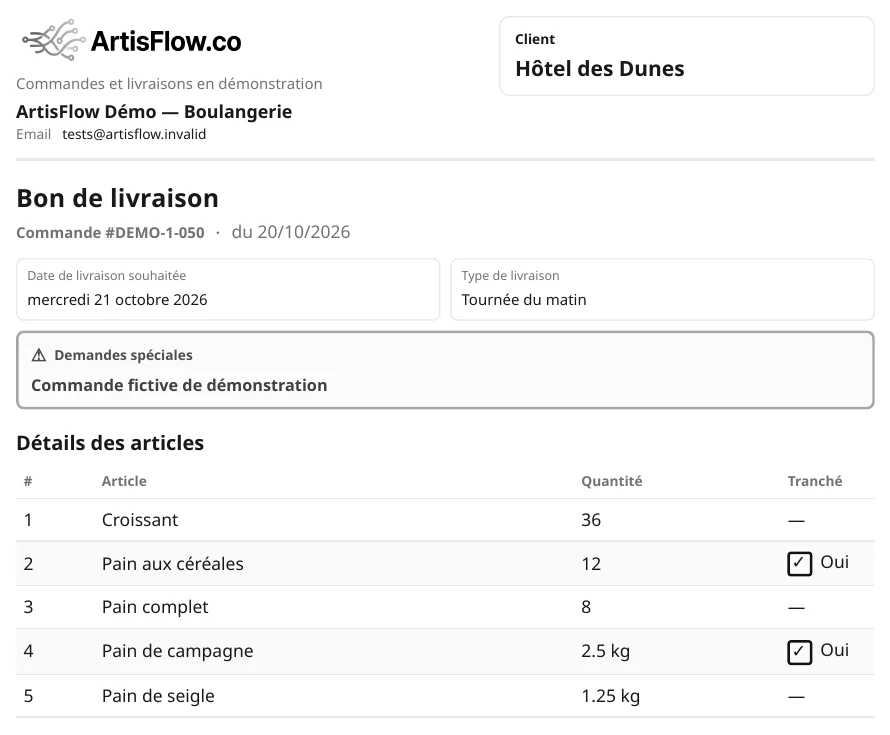
The document travels with the goods; accounting then applies the customer’s commercial terms.
Preparation, in your own words
The baker sees slicing requests on relevant breads through to packing.
Operations without prices
ArtisFlow organises orders without displaying selling prices or customer discounts in the operational chain. Preparation teams and drivers see products and quantities. Your accounts team then invoices from the delivery notes, using your agreed commercial terms.
Roles
Several people can be linked to one customer: owners, reception and different shifts find its orders through named accounts. Notifications follow enabled recipients and preferences.
Handover
Organise morning and midday rounds, customer opening hours and order edit deadlines. Consolidated quantities guide the bakery team; customer detail guides packing and loading.
Order emails follow events such as receipt, edits, cancellation or delivery, according to the rules enabled.
Explore plans→The customer contacts the designated manager, who checks what can still be prepared. A late request is not automatically accepted.
Frequent products are not a subscription. Check the date and the order actually confirmed.
Report the difference to the manager before departure. Check substitution and partial handover handling using your demonstration scenario.
Orders, preparation, notes without prices and emails for enabled events.
Domain, sending subdomain and messenger notifications according to your plan, compatible services and their conditions.
Accounting, B2C website, automated message intake, carriers and labels: scope and interfaces need validation.
Connect your website, B2C requests or incoming messages to your ordering workflow.
Assess exchanges with Menlog / MenComSI, Pennylane, Sage or EBP using the interfaces available.
Assess carrier exchanges, shipping labels and inventory or CRM tools.
Standard order notifications are separate from taking orders through messages. Individual integrations and workflow changes belong to an Enterprise project with a separate quote. Named products are examples of possible connections, not already active connectors.
Your next step · A demonstration adapted to your trade

Start with your working day
A demonstration of your workflow, from catalogue to delivery note.
14-day trial · Technical administration included