
01
The customer confirms the request
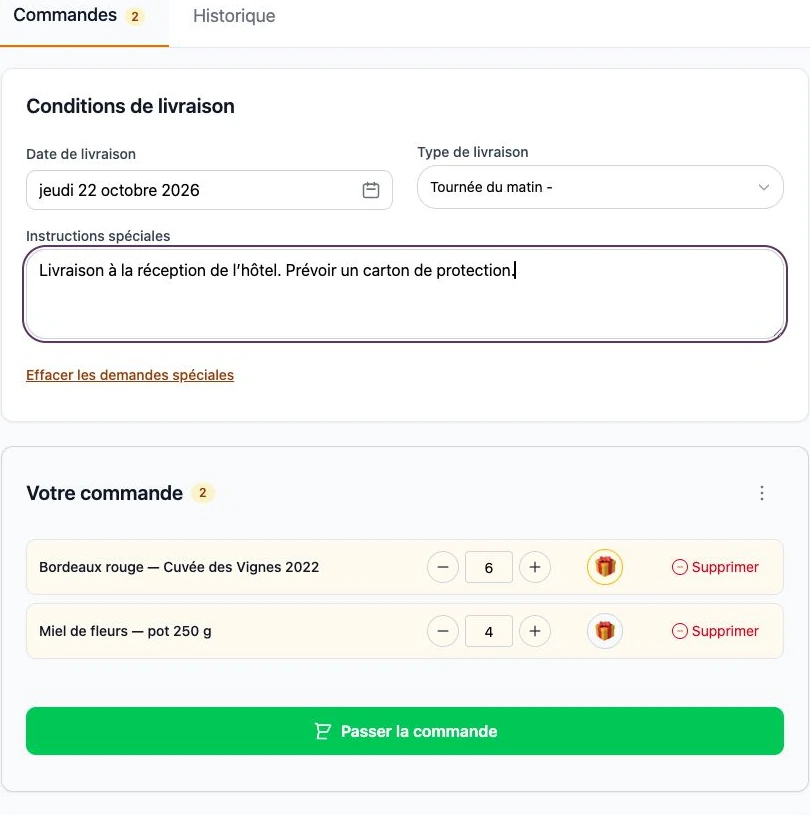
They choose the date, quantities and options. This demo basket contains six bottles and four jars of honey. Handover instructions stay with the order.
The solution
Your professional customers order around the clock. Your team finds preparation quantities, options and delivery progress in the same tool.
14-day trial · Technical administration included
Frequent products · The B2B habit
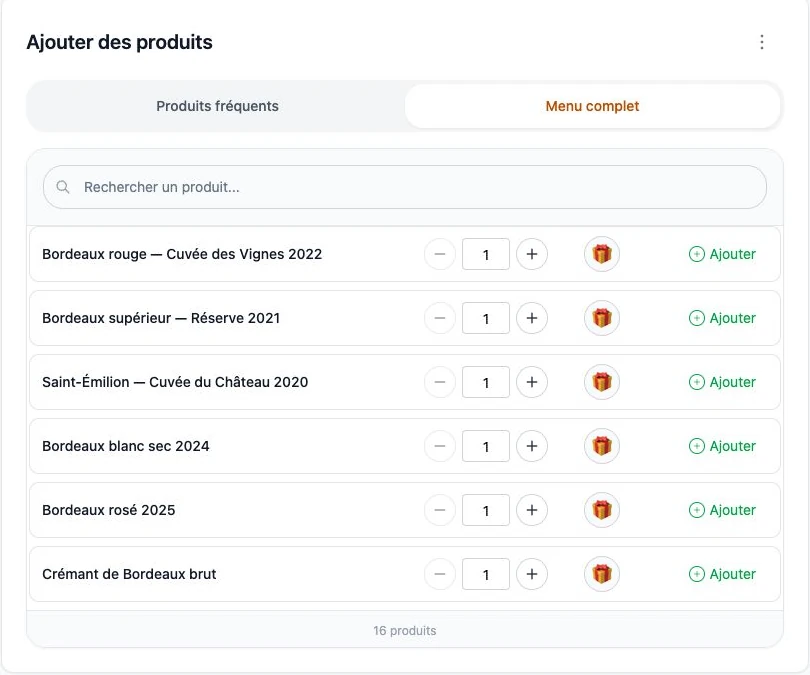
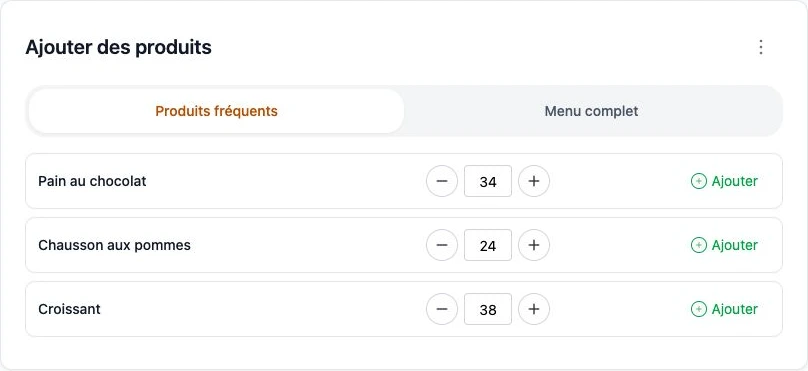
A hotel comes back to its croissants and bread. A wine merchant to a few wines. For daily ordering, customers first see their regular products: often 3 to 5, rarely more. They adjust quantities instead of browsing your whole catalogue.
of B2B customers return to the same products for their usual orders. A field observation behind the ArtisFlow ordering experience.
From customer to accounting
The winery demo screens show each stage: customer basket, consolidated requirements, customer packing and delivery note. Data is fictional.
01
They choose the date, quantities and options. This demo basket contains six bottles and four jars of honey. Handover instructions stay with the order.
02
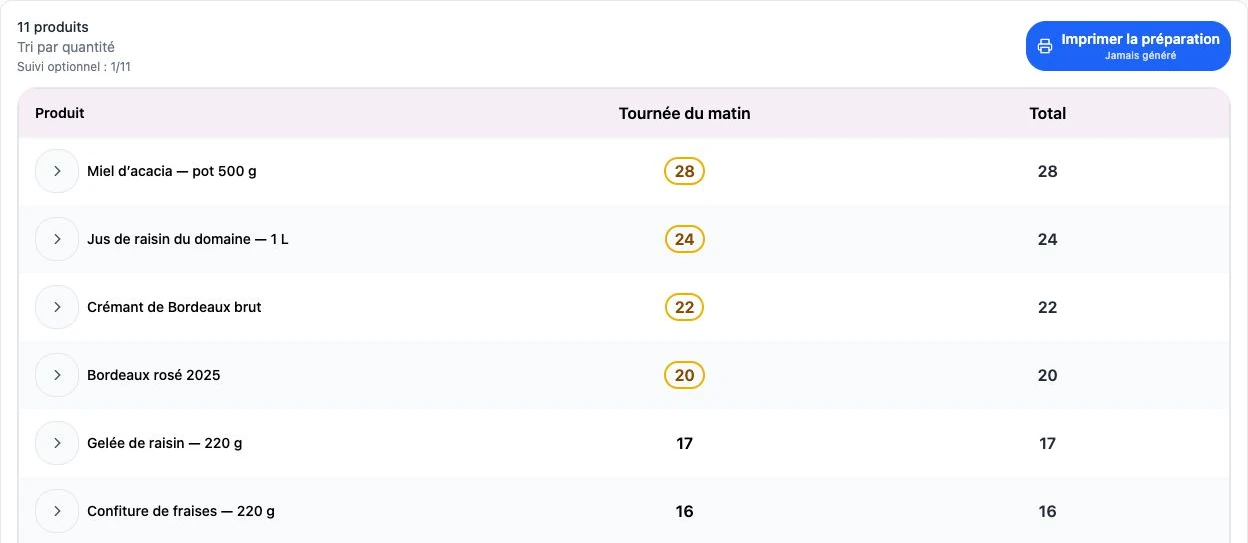
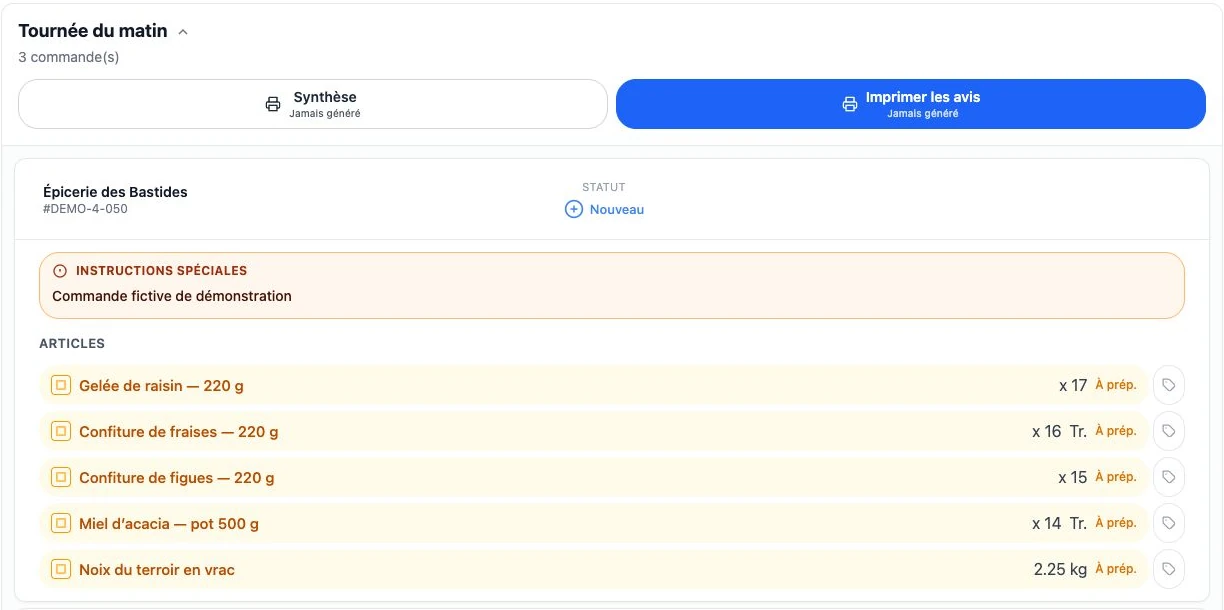
When the shift starts, the manager finds all orders automatically grouped by product, unit and round. They view or print the summary, then open each order’s detail and status to allocate and pack.
03
Packing retains products, quantities and options for each customer. This complements the overall view: knowing how much to prepare is not enough to know who receives it.
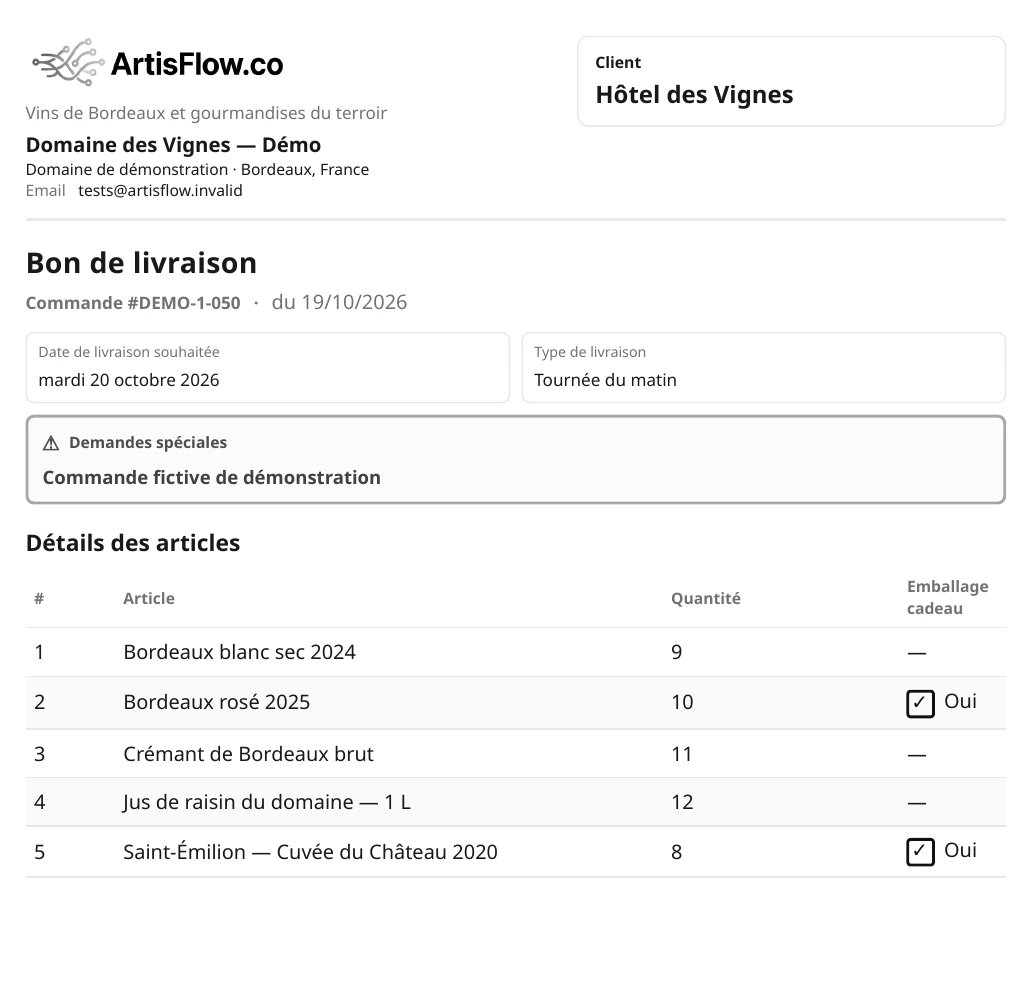
04
The document lists products and quantities without prices or discounts. The team follows handover; accounting then invoices under each customer’s agreed terms.
The round, order by order
The driver’s list brings together orders to deliver: customer, products, quantities, instructions and each order’s status. The driver confirms handover in the application; the team sees progress and the customer receives an automatic update.
The summary gives overall quantities; the detail retains each order’s status. Product totals complement the checks on preparation, packing and handover for each customer.
See how it works →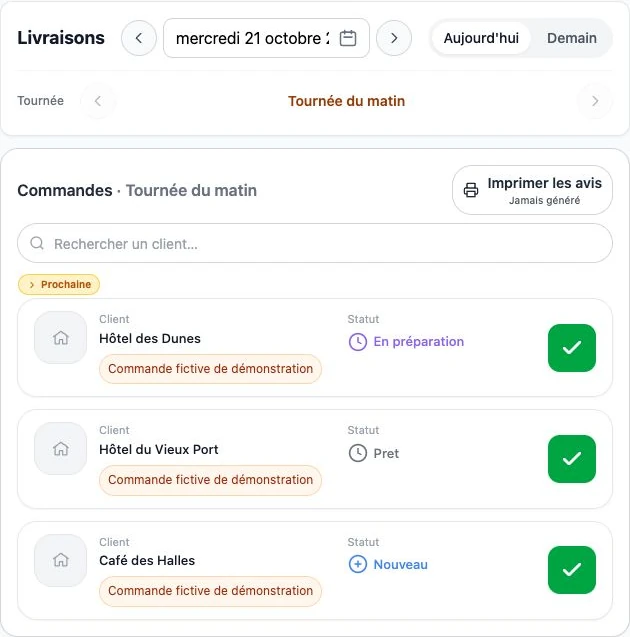
The order stays visible as teams change
The owner, reception staff, managers and different shifts each have named access. Linked to the same customer, they place and review its orders according to their permissions. The next shift finds what has already been ordered.
After an order is created, the customer’s users receive email updates. Edits, cancellation and successful delivery — or dispatch in the enabled workflow — trigger configured notifications. Follow-up does not rely on the person who placed the order.
Who created the order, when and with which products? Who changed a quantity, completed preparation, packed and delivered it? The log retains users, dates, changes and workflow events.
Emails can reach all users linked to the customer, not only the order’s author, according to enabled recipients and preferences. Log access follows each role’s permissions.
One order, several contributors
Product details and changes stay with the order. The log shows what changed and who took over through to handover.
Illustrative example · Fictional people and order · Visible events depend on workflow and permissions.
36 croissants for tomorrow morning.
Croissants: 36 → 40. Preparation receives the change.
Requirements are consolidated by product; the order’s status remains visible.
The hotel allocation is checked: 40 croissants.
Handover is recorded and the email update is triggered.
Operations without prices
ArtisFlow organises orders without displaying selling prices or customer discounts in the operational chain. Preparation teams and drivers see products and quantities. Your accounts team then invoices from the delivery notes, using your agreed commercial terms.
When the day does not follow the plan
Your team records it using the agreed procedure and checks customer, date, units and quantities. A message is not a confirmed order.
They use their access within permitted deadlines. After the cutoff, they contact the manager, who decides based on preparation already underway.
The team alerts the manager and keeps useful information with the order. Check your replacement, discrepancy and repeat-handover procedure in the demo.
Features
Regular selections when quantities change; standing orders when requirements are stable. Two distinct answers to repetitive B2B purchasing.
Read moreCatalogue, frequently ordered products, order history and cutoffs: customers order online while your team gets on with work.
Read moreGroup requirements by product, prepare each customer’s order and print delivery notes without prices.
Read moreReady orders, delivery rounds, delivery notes and handover confirmation: shared information for the people who need it.
Read moreFrom first conversation to launch
You do not have to change the whole business at once. We prepare a limited scope, then your team checks a complete order before extending use.
You describe customers, products, cutoffs and handovers. Together we check the workflow and required functions; any adaptations receive a separate quote.
You provide products, units, options and initial customers. We agree data import, roles, document wording and the connections included in your plan.
An administrator, a preparer and a few customers check ordering, edits, packing and the delivery note. We agree when the 14-day trial opens.
Orders, preparation, notes without prices and emails for enabled events.
Domain, sending subdomain and messenger notifications according to your plan, compatible services and their conditions.
Accounting, B2C website, automated message intake, carriers and labels: scope and interfaces need validation.
Connect your website, B2C requests or incoming messages to your ordering workflow.
Assess exchanges with Menlog / MenComSI, Pennylane, Sage or EBP using the interfaces available.
Assess carrier exchanges, shipping labels and inventory or CRM tools.
Standard order notifications are separate from taking orders through messages. Individual integrations and workflow changes belong to an Enterprise project with a separate quote. Named products are examples of possible connections, not already active connectors.
Your next step · A demonstration adapted to your trade

Start with your working day
A demonstration of your workflow, from catalogue to delivery note.
14-day trial · Technical administration included