Feature

A B2B ordering portal for your professional customers.

→

Catalogue, frequently ordered products, order history and cutoffs: customers order online while your team gets on with work.

Frequent products · The B2B habit

The same products. Only the quantities change.

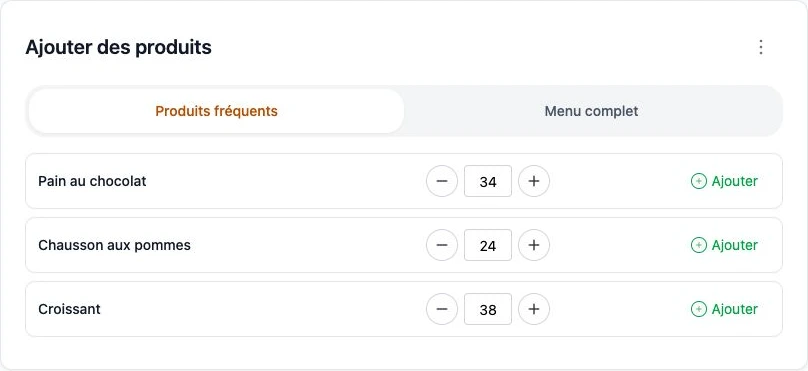
A hotel comes back to its croissants and bread. A wine merchant to a few wines. For daily ordering, customers first see their regular products: often 3 to 5, rarely more. They adjust quantities instead of browsing your whole catalogue.

Our field observation: around 95%

of B2B customers return to the same products for their usual orders. A field observation behind the ArtisFlow ordering experience.

  • A list specific to each customer, with usual quantities.
  • The full catalogue remains available for occasional needs.
  • The customer confirms each order and its delivery date.
Frequent products or standing orders? →
Actual Frequent products screen: 34 pains au chocolat, 24 apple turnovers and 38 croissants; the full catalogue remains accessible
Actual bakery demo screen · Three products for the fictional Épicerie du Marché customer · French interface.

Customer access after your working day

A hotel plans breakfast in the evening; a restaurant prepares its next service. Their ordering space is accessible without waiting for a phone call or an available employee. Customers select products, quantities and dates within the rules you set.

Usual products within easy reach

Frequently ordered products make regular purchases easier. The full catalogue remains available for other references. Products can be configured by piece or weight; product names and packaging should make the ordering unit clear.

An order everyone can find again

Customers consult their history and follow their orders. They can renew their requirements and edit an order while modification rules allow it. Once the cutoff passes, your team has a clear basis for preparing the working day.

Operational orders without prices

The portal organises products and quantities. Selling prices and discounts do not travel through preparation and delivery. Your accounts team then invoices from delivery notes under each customer’s commercial agreement.

A deployment that fits your business

Essential uses our infrastructure. From Business, you can use your own domain, a branded ordering site and a PWA application installable on compatible devices. Technical administration is included; individual integrations are assessed as part of an Enterprise project.

The first professional order

From invitation to confirmed order.

  1. Invite

    The administrator links the customer to their business and provides access.

  2. Choose

    The customer opens the catalogue and enters quantities, options, date and instructions.

  3. Confirm

    The confirmed order joins the business workflow. The customer finds it in their own space.

  4. Edit

    Customers edit within permitted deadlines; after the cutoff they contact the manager.
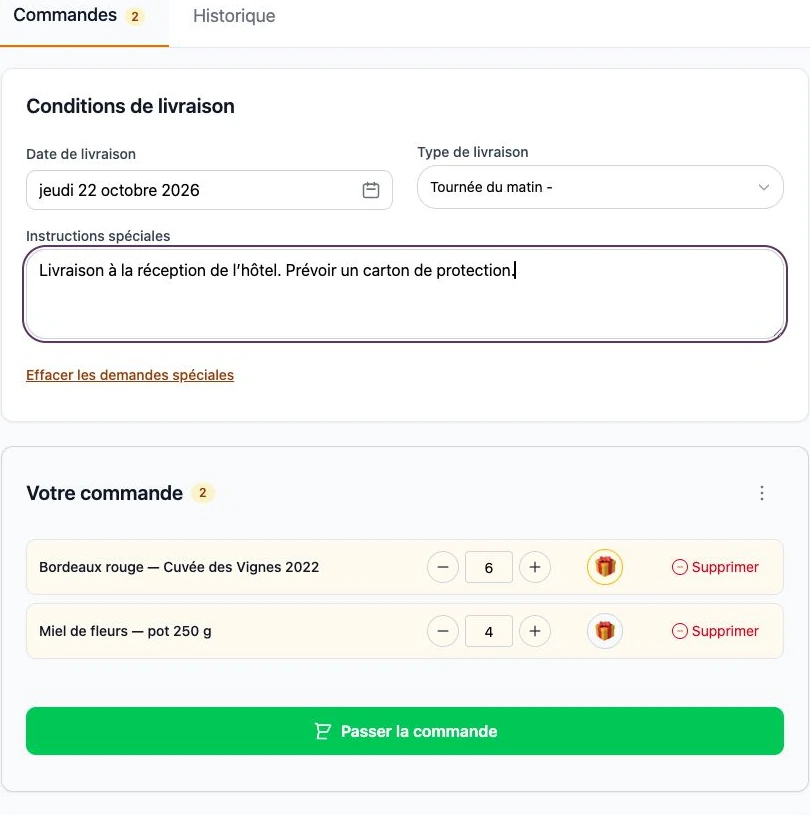
Actual demo basket: quantities, date, instructions and confirmation button
Winery demo · Fictional data · French interface.

Customer access covers their business and orders, not other customers’ orders. The portal serves professional purchases agreed with you; this workflow does not collect online payment.
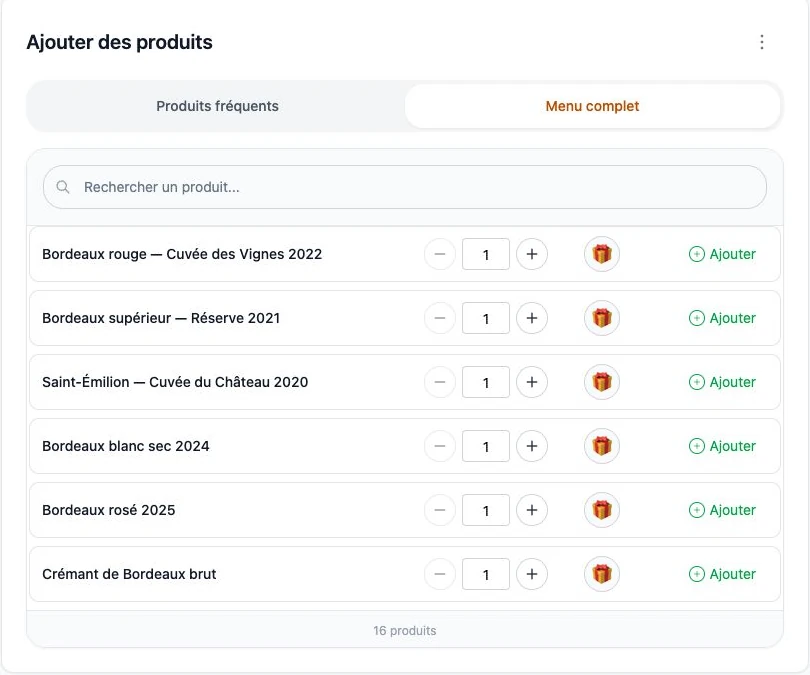
Actual ArtisFlow demo screenshot — A B2B ordering portal for your professional customers.
ArtisFlow winery demo catalogue · Fictional data · French interface.

Setup and responsibilities →

Explore the workflow for your industry, then compare plans.

Industries →Plans →

The order stays visible as teams change

Who ordered? What happens next? Everyone stays in the loop.

One customer, several users

The owner, reception staff, managers and different shifts each have named access. Linked to the same customer, they place and review its orders according to their permissions. The next shift finds what has already been ordered.

Automatic order emails

After an order is created, the customer’s users receive email updates. Edits, cancellation and successful delivery — or dispatch in the enabled workflow — trigger configured notifications. Follow-up does not rely on the person who placed the order.

A detailed history for each order

Who created the order, when and with which products? Who changed a quantity, completed preparation, packed and delivered it? The log retains users, dates, changes and workflow events.

Emails can reach all users linked to the customer, not only the order’s author, according to enabled recipients and preferences. Log access follows each role’s permissions.

One order, several contributors

Find the facts without reconstructing conversations.

Product details and changes stay with the order. The log shows what changed and who took over through to handover.

Illustrative example · Fictional people and order · Visible events depend on workflow and permissions.

  1. Order created

    Claire · Hotel reception

    36 croissants for tomorrow morning.

  2. Quantity edited

    Marc · Hotel manager

    Croissants: 36 → 40. Preparation receives the change.

  3. Preparation started

    Sophie · Baker

    Requirements are consolidated by product; the order’s status remains visible.

  4. Order packed

    Léa · Preparation

    The hotel allocation is checked: 40 croissants.

  5. Delivery confirmed

    Karim · Driver

    Handover is recorded and the email update is triggered.

Your next step · A demonstration adapted to your trade

A demonstration at the pastry workshop.
Illustrated scenario · Your catalogue, your team, your workflow.

Start with your working day

Let’s look at your next day of orders.

A demonstration of your workflow, from catalogue to delivery note.

  1. 01Your catalogue
  2. 02Your preparation
  3. 03Your deliveries
Request a demo

14-day trial · Technical administration included