
The problem
Calls pile up during harvesting. Before the round, staff must still reconstruct every crate’s contents.
ArtisFlow / Vegetable growers
Calls interrupt harvesting and messages pile up before the round. Customers order seasonal products in their portal; you find preparation quantities and the crate detail for each recipient.
Your customers: restaurants, shops and professional kitchens
Request a demo↗14-day trial · Technical administration included
See the workflow screens ↓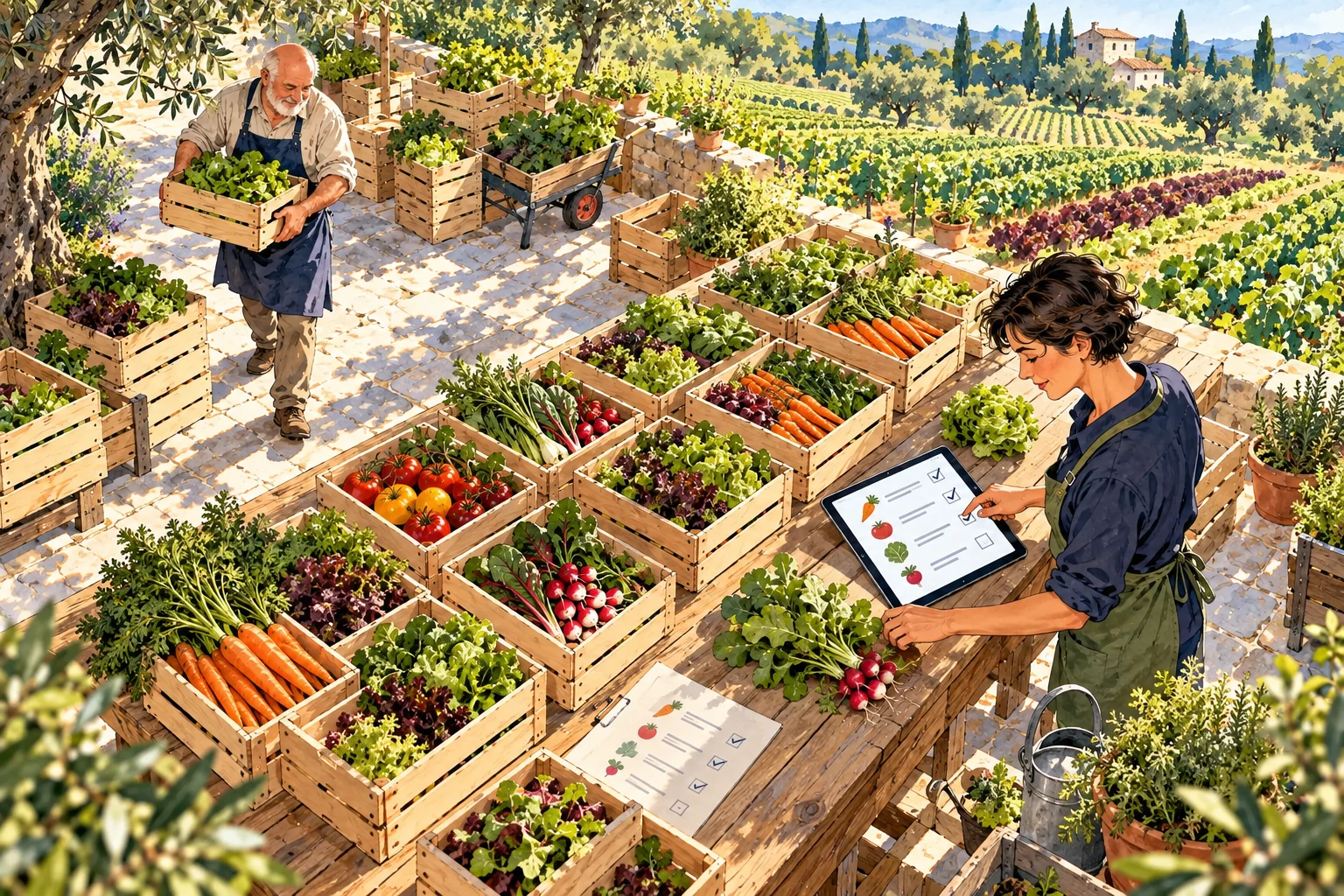
For your market garden
You regularly supply restaurants and shops with a seasonal catalogue and defined delivery days.
A chef requests 20 lettuces, 8 radish bunches and 12.5 kg of carrots. Your team sees consolidated requirements, then the contents of that customer’s crate and handover slot.
The problem
Calls pile up during harvesting. Before the round, staff must still reconstruct every crate’s contents.
What changes with ArtisFlow
Customers enter requirements in the portal. Your team sees quantities to prepare, then allocation and instructions for each recipient.
Your working day
Customers find lettuce, bunches or loose vegetables and confirm their date.
Your team reviews consolidated requirements to organise post-harvest work.
Crates are allocated by customer with quantities and instructions.
The driver confirms each handover; customers and staff keep visibility.
Real ArtisFlow demo screens · Fictional data
Demo screens show the French application interface. Open a screenshot to inspect the detail.
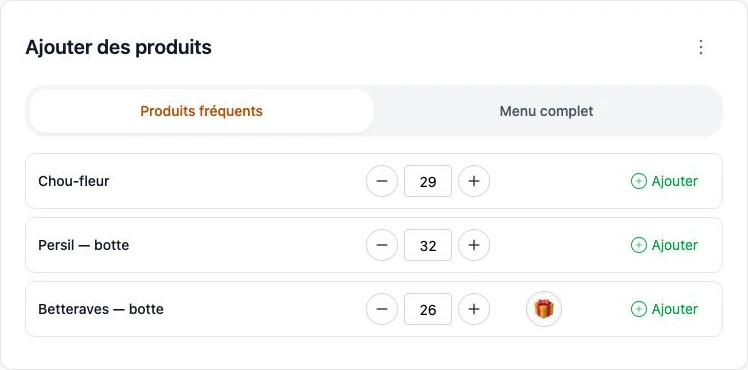
A few frequent vegetables, their quantities and the seasonal catalogue within reach.
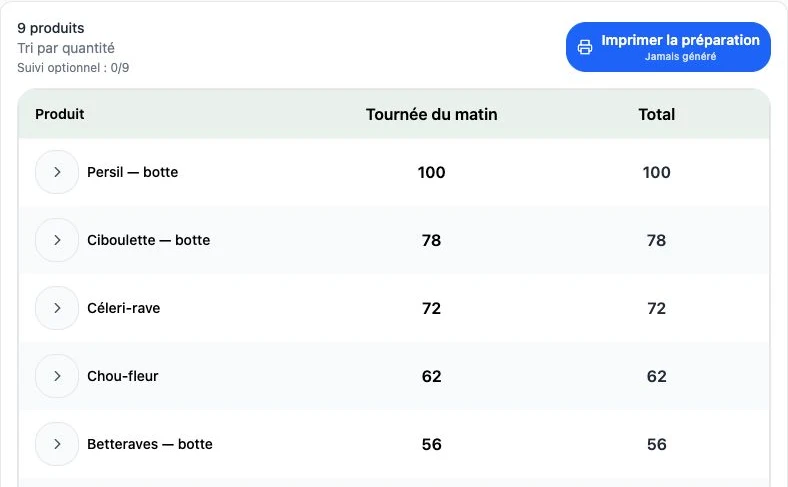
Summary excerpt: every product retains its own quantity.
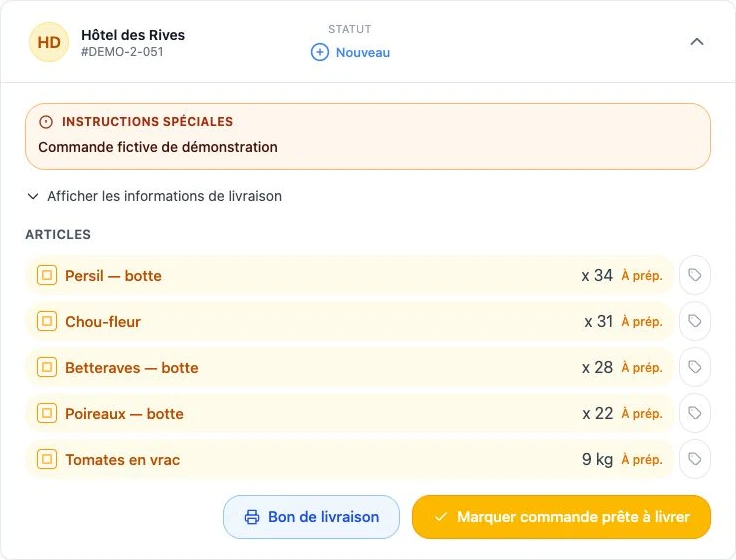
Customer detail complements preparation totals.
Preparation, in your own words
On eligible products, this option communicates a crate-packing request. A fixed 5 kg crate can also be a product sold by item. This presentation does not calculate deposits or track reusable packaging.
Illustrated scenario: the catalogue and rules are configured for your business.
Operations without prices
ArtisFlow organises orders without displaying selling prices or customer discounts in the operational chain. Preparation teams and drivers see products and quantities. Your accounts team then invoices from the delivery notes, using your agreed commercial terms.
Roles
Several people can be linked to one customer: owners, reception and different shifts find its orders through named accounts. Notifications follow enabled recipients and preferences.
Handover
Define delivery days and slots offered to restaurants and shops. The team prepares the round, finds reception instructions and records each handover in the application. Transport conditions and actual harvest availability remain managed by your business.
Order emails follow events such as receipt, edits, cancellation or delivery, according to the rules enabled.
Explore plans→Your administrator maintains active products. The portal presents the offer you configure; it does not automatically forecast harvests.
Staff agree the change with the customer and retain the edit in the order. A substitution should not be assumed accepted.
Packing can be specified. Deposit tracking, real-time inventory and harvest management require a specific scope.
Orders, preparation, notes without prices and emails for enabled events.
Domain, sending subdomain and messenger notifications according to your plan, compatible services and their conditions.
Accounting, B2C website, automated message intake, carriers and labels: scope and interfaces need validation.
Connect your website, B2C requests or incoming messages to your ordering workflow.
Assess exchanges with Menlog / MenComSI, Pennylane, Sage or EBP using the interfaces available.
Assess carrier exchanges, shipping labels and inventory or CRM tools.
Standard order notifications are separate from taking orders through messages. Individual integrations and workflow changes belong to an Enterprise project with a separate quote. Named products are examples of possible connections, not already active connectors.
Your next step · A demonstration adapted to your trade

Start with your working day
A demonstration of your workflow, from catalogue to delivery note.
14-day trial · Technical administration included